Turnover Progress
Complete the required turnover before submitting a withdrawal request.

Review turnover progress, manage verified bank details, and submit a DD8WIN withdrawal request through a clear mobile process.
Withdraw on DD8WINThe DD8WIN withdrawal screen keeps turnover status, bank selection, amount limits, and remaining withdrawal attempts together in one focused view.
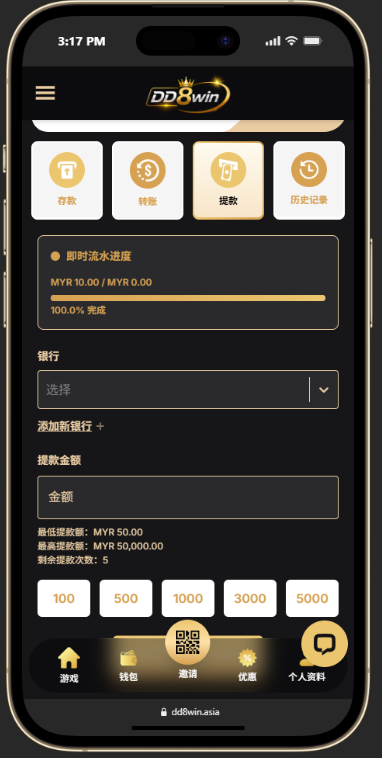
Complete the required turnover before submitting a withdrawal request.
Select a registered bank account or add bank details that match your member profile.
Enter an amount within the displayed minimum and maximum limits and review remaining daily attempts.
Confirm that the required turnover is fully completed before proceeding.
Choose a verified bank account or add your bank name, full name, and account number.
Enter the amount manually or choose an available preset amount within your account limits.
Check the selected bank, account information, amount, and remaining withdrawal attempts.
Submit the request and monitor your account for the latest processing status.
Withdrawals are processed to verified account details. Processing time and limits may vary according to account status and the selected banking channel.
Any applicable turnover requirement must be fully completed before a withdrawal can proceed.
Yes. Add a supported bank account using details that match your registered DD8WIN profile.
The reference interface shows MYR 50 to MYR 50,000 per request, with limits and remaining attempts subject to your account status.